WarmDesk
AI answering22 min read

15 Best AI Answering Services for Small Businesses in 2026

Compare 15 AI answering services by call handling, integrations, language support, setup, pricing, and best fit.

W

WarmDesk editorial

2026 comparison guide

15 Best AI Answering Services for Small Businesses in 2026 cover image
2026 guide / 09

The short version

Choose an AI answering service by testing how it handles your real callers, workflows, and peak call volumes.

AI answering services can make the difference between winning a customer and losing one to a competitor because every missed call is a lead who may contact someone else[37]. A third of all meetings are booked outside office hours, and one in five happens after 6pm, which a 9-to-6 business just cannot catch[37]. Zendesk's 2026 CX Trends report found that 74% of consumers now expect round-the-clock service[38]. A full-time receptionist costs $30,000 to $40,000 annually, while AI answering plans cost a few hundred dollars per year[37]. We reviewed 15 options, including the best AI answering service for home services, to help you choose.

What matters most

  • AI receptionists capture after-hours demand: one-third of meetings are booked outside office hours, while 74% of consumers expect 24/7 service.
  • Match tools to your workflow: choose Zeeg for in-call booking, Rosie for home services, Smith.ai for human backup, or CloudTalk for global teams.
  • Prioritize live calendar booking, CRM integration, language coverage, and reliable call routing; these features turn answered calls into qualified, trackable leads.
  • Compare pricing against actual usage limits, overages, and included channels—not headline rates—because minutes, calls, credits, and conversations are billed differently.
  • Test two or three free trials using real customer questions, vague requests, and escalation scenarios before committing to a provider.
01

Zeeg: Best for Appointment-Driven Small Businesses

Visit source
Zeeg: Best for Appointment-Driven Small Businesses overview
Image source: Zeeg

Zeeg opens this list because it makes the phone call the booking engine instead of treating it as a message-taking step before booking. It combines an AI voice agent and scheduling software in one system, so solo practitioners, agencies, and small sales teams no longer lose leads to missed calls or manual follow-up.

Zeeg key features and call handling

Zeeg's agent answers inbound calls and makes outbound calls, holding genuine back-and-forth conversations instead of using press-1 phone trees[39]. It qualifies callers, captures lead details automatically, and books meetings directly into the right calendar during the call[39]. Plain-language routing rules can send new clients to an Onboarding call and support multiple meeting types, round-robin distribution, and outbound campaigns with voicemail detection[40]. The agent supports 23 languages[41].

Zeeg setup and integrations

No developer is needed. I select a prompt template, such as Appointment Booker or Support Callback, choose a phone number, set routing rules in plain language, and test the agent in my browser before it goes live[39]. I can forward an existing business number or purchase a new local number. Native integrations include Google Calendar, Outlook, Exchange, Apple Calendar, and Proton Calendar. Video support covers Zoom, Meet, Teams, and Webex, while CRM syncing works with HubSpot, Pipedrive, and Salesforce, among other tools such as Zapier, Stripe, PayPal, and Okta[40].

Zeeg pros and cons

  • Books appointments during the call, with no separate link to click[39]
  • GDPR-compliant and hosted in Germany, with a signed DPA available[40]
  • Goes live in minutes without coding or developer setup[39]
  • Its voice-only focus means SMS and email need additional tools[39]

Zeeg pricing and usage limits

AI voice minutes are available in monthly packages starting at €49/month with 250 inbound minutes, billed annually. Higher-volume pricing falls to €0.111/minute, and each plan includes 5 free minutes[42]. Scheduling is priced separately: Starter is free, Professional costs €10/user/month, Business costs €16/user/month, and Scale costs €30/user/month, all billed annually[43].

02

Jotform AI: Best for Businesses Already Using Jotform

Visit source
Jotform AI: Best for Businesses Already Using Jotform overview
Image source: Jotform

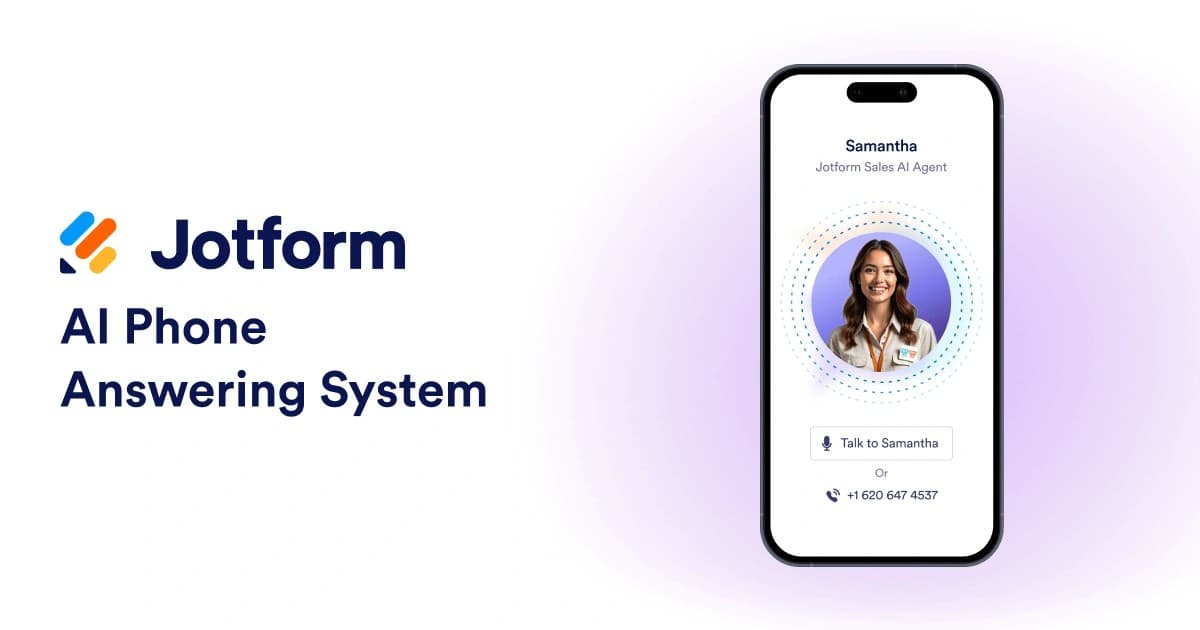
Jotform AI builds its answering service on a form platform that many small businesses already use for intake and data collection. This makes the agent a natural extension instead of a separate tool to learn. The company presents it as a no-code way to create a receptionist that connects with forms customers already complete.

Jotform AI key features and call handling

The agent handles phone and web voice calls, along with SMS, WhatsApp, and Messenger, through a single build. A call that begins on the phone can continue by text without losing context[44]. Its knowledge base can use uploaded files, crawled URLs, and direct Q&A pairs. An Actions window also lets business owners define what happens when callers mention specific topics, such as starting a workflow or sending an email[44]. The agent supports 19 languages and can switch languages during a conversation when a caller asks[44]. A key differentiator is its direct connection to Jotform forms. Rather than only taking a message, the agent can complete an intake form through natural conversation and check each entry during the process[44].

Jotform AI setup and integrations

You can build an agent from scratch or from a form, with access to more than 7,000 templates on the My Agents page[45]. A Phone Agent number costs INR 843.80 per month and has voice and tone customization. The Voice Agent option handles web calls without requiring a phone number[44]. G2 lists 54 verified integrations, such as Airtable, Canva, ChatGPT, Claude, Dropbox, and Follow Up Boss[46].

Jotform AI pros and cons

  • Connects phone answering directly to form completion, combining data capture and customer service[44]
  • SOC 2 infrastructure supports data storage, and GPT-4 powers responses[44]
  • G2 ranks it #7 among 9 CX agents reviewed, with a 56% compliance score[46]

Jotform AI pricing and usage limits

A free plan is available with limits on agents and conversations. Paid tiers include Bronze at INR 2868.94 and Silver at INR 3290.84[46].

03

Allo: Best for Mobile-First Small Teams

Visit source
Allo: Best for Mobile-First Small Teams overview
Image source: Allo

Allo starts from a different place than the first two options on this list. It is a full mobile business phone system with an AI receptionist built in, designed for small teams that manage their day from a phone instead of a desk.

Allo key features and call handling

The AI receptionist answers calls if no one on the team is available, asks callers what they need, books appointments directly into the calendar, texts back missed calls, and logs everything in the CRM automatically. A spam call blocker and real-time caller identification filter out unwanted calls before they connect. A customizable IVR then routes callers based on their menu selection. Every call is recorded, transcribed, and summarized as soon as it connects, with no button to press. Allo reports 4x fewer dropped calls and spam flags than typical VoIP setups[47]. Its average first response time is 15 minutes, and it reaches full resolution in 90 minutes[47]. The AI supports English, French, and Spanish[48].

Allo setup and integrations

Allo offers guided self-serve setup, and most teams can start taking calls that same day. A paid white-glove setup option is also available. The 3-day free trial requires a card on file, though Allo does not charge it until the third day[47]. Native CRM sync supports HubSpot, Salesforce, Pipedrive, Attio, GoHighLevel, Odoo, and Google Sheets. Zapier and an open API cover other connections[47]. Allo also connects with Claude and Cursor through its MCP integration[47].

Allo pros and cons

  • Includes a full phone system rather than an added answering layer
  • Offers free number porting with no downtime during the switch
  • G2 named it "Easiest to Use," comparing setup to ChatGPT[47]
  • Bills the AI receptionist as a separate add-on instead of including it in the seat price[48]
  • Supports only three languages, which may limit international teams

Allo pricing and usage limits

Business costs INR 3797.12 per user each month or INR 2700.17 per user with yearly billing. Solo costs INR 10125.65 per user each year. The AI receptionist add-on costs a flat INR 2700.17 per month with yearly billing, or INR 3797.12 monthly, and includes unlimited AI answering across the account[48].

04

Dialzara: Best for Quick, Simple Call Answering

Visit source
Dialzara: Best for Quick, Simple Call Answering overview
Image source: Dialzara

Dialzara earns a place on this list for a different reason than the first three. It focuses on one task, answering calls, without requiring small business owners to learn a complex platform. Real estate agents, CPA firms, and home service companies appear often in its reviews, with many praising how quickly it replaced their paid answering service[49].

Dialzara key features and call handling

The AI answers calls 24/7, including outside business hours and on holidays. Unlimited simultaneous calls ensure callers do not wait on hold during busy periods[50]. It greets callers using one of 50+ voices, answers FAQs from the business's website and documents, and books appointments by checking live Google or Outlook calendar availability on Business Pro plans and higher[50]. Every plan includes blind transfers. Business Pro and higher also include warm transfers, where the AI briefs the staff member before connecting the call[50]. Automatic spam screening blocks robocalls, and the agent supports 10+ languages with detection based on the caller's first sentence[51]. Each call includes a recording, transcript, and summary sent by SMS or email. New accounts can also use 88+ pre-built industry prompts as a starting point[51].

Dialzara setup and integrations

Setup starts with adding a website URL for the AI to scan. Teams can test the agent in chat before forwarding or porting their business number. Most teams finish the process in under 30 minutes[51]. Google Calendar and Outlook connect natively, while CRM sync beyond the built-in options works through Zapier, Make, or webhooks[51].

Dialzara pros and cons

  • Fast, simple setup for call answering
  • 7-day free trial with no contract[50]
  • Template-based prompts may loop or stall when callers go off-script[9]
  • Business Lite's 60 included minutes run out quickly at higher call volumes, which can lead to overage charges[9]

Dialzara pricing and usage limits

Business Lite costs INR 2447.03/month and includes 60 minutes, with overages at INR 40.50/minute. Business Pro costs INR 8353.66 for 220 minutes, while Business Plus costs INR 16791.71 for 500 minutes. Business Elite costs INR 29448.78 for 1,000 minutes, and its overage rate drops to INR 29.53/minute[50].

05

UpFirst: Best for Budget-Conscious Microbusinesses

UpFirst: Best for Budget-Conscious Microbusinesses overview
Image source: Upfirst

UpFirst was built by a practicing attorney who needed a receptionist for his law firm. That background still guides its strengths: answering questions accurately, collecting details from new leads, and booking appointments without extra fuss.

UpFirst key features and call handling

The receptionist identifies a caller's language automatically, speaks more than 35 languages, and translates transcripts into the business owner's preferred language[4]. Warm transfers tell the team who is calling and why before they choose whether to answer. Fallback numbers are ready if no one picks up[4]. UpFirst catches and ends robocalls and sales pitches automatically, and it never charges for them[10]. Custom Actions connect with any system that has an API, so the agent can check an order's status or log a booking during a call. Notifications route according to the call's purpose, so sales receives new lead alerts while accounting receives open-invoice alerts[4].

UpFirst setup and integrations

Setup begins when users create an account and enter a website URL. UpFirst scrapes the site to train the receptionist before users make manual edits[10]. Most businesses go live within 30 minutes[4]. Appointments can be booked directly in Google Calendar, Outlook, Clio, Acuity, Calendly, and Square Scheduling. Zapier connects thousands of additional apps[4][10]. Owners can add UpFirst to ChatGPT as a plugin or Claude as a connector and update the receptionist in plain English[10].

UpFirst pros and cons

  • Built for non-technical owners who want to keep their existing phone system instead of replacing it[4]
  • The knowledge base has no size limit, and the system summarizes pasted URLs automatically[2]
  • Runs on secure, U.S.-based cloud infrastructure but is not HIPAA compliant[4]

UpFirst pricing and usage limits

Plans start at INR 2105.29/month for 30 calls and reach INR 25229.75/month for 600 calls. Overage charges range from INR 126.57 to INR 59.07 per call[4]. UpFirst never bills calls under 15 seconds, pocket dials, or spam[10]. The free trial lasts 14 days and requires no card. Annual billing saves 20%[10].

06

Rosie: Best AI Answering Service for Home Services

Rosie: Best AI Answering Service for Home Services overview
Image source: Frontdesk AI

Rosie serves a narrower market than the options above: home services companies, solo law firms, accountants, and real estate agents that need a receptionist right away[11]. More than 1,500 local businesses already use it to catch missed calls and book appointments around the clock[12].

Rosie key features and call handling

Rosie answers calls 24/7 and can handle several calls at once, so callers never get a busy signal[13]. It trains itself using the business's Google Business Profile and website, learning within minutes instead of months[5]. Every plan has free spam screening, English and Spanish support, plus a call summary with a transcript and recording[5]. Message-taking limits vary by scenario: 2 on Professional, 5 on Scale, and unlimited on Growth[5]. Mid-call SMS can send callers pricing or booking links, while Scale supports warm transfers and Growth uses waterfall transfers through a list of numbers[11].

Rosie setup and integrations

Setup involves forwarding an existing business number to Rosie instead of porting it[13]. Calendar booking works with Google Calendar, Calendly, Acuity, and Appointlet on Scale and higher plans; Professional sends a booking link by text instead[11]. Zapier connects to more than 1,000 apps on every plan, and Rosie has 18 native CRM integrations[13]. Native iOS and Android apps provide a unified inbox, real-time alerts, and full agent configuration on a phone[12].

Rosie pros and cons

  • Rosie trains from a website and Google profile, going live in under 15 minutes[11]
  • Every plan has Spanish support, including the entry tier[5]
  • Free spam blocking prevents spam calls from using minutes[11]
  • Professional cannot book appointments during calls or transfer calls and only sends SMS links[11]
  • Rosie does not support outbound calling, so follow-ups require another tool[5]
  • Rosie does not publish overage pricing beyond the monthly allowance[5]

Rosie pricing and usage limits

Professional costs INR 4134.64 per month for 250 minutes. Scale costs INR 12572.69 per month for 1,000 minutes, while Growth costs INR 25229.75 per month for 2,000 minutes. Each plan has a 7-day trial[5]. Annual billing reduces the prices to INR 3459.60, INR 10463.18, and INR 21010.73[13]. The Website Texting add-on costs INR 4219.02 per month for 25 conversations, then INR 84.38 for each additional conversation[5].

07

Goodcall: Best for Customizable Call Workflows

Goodcall: Best for Customizable Call Workflows overview
Image source: ServiceAgent

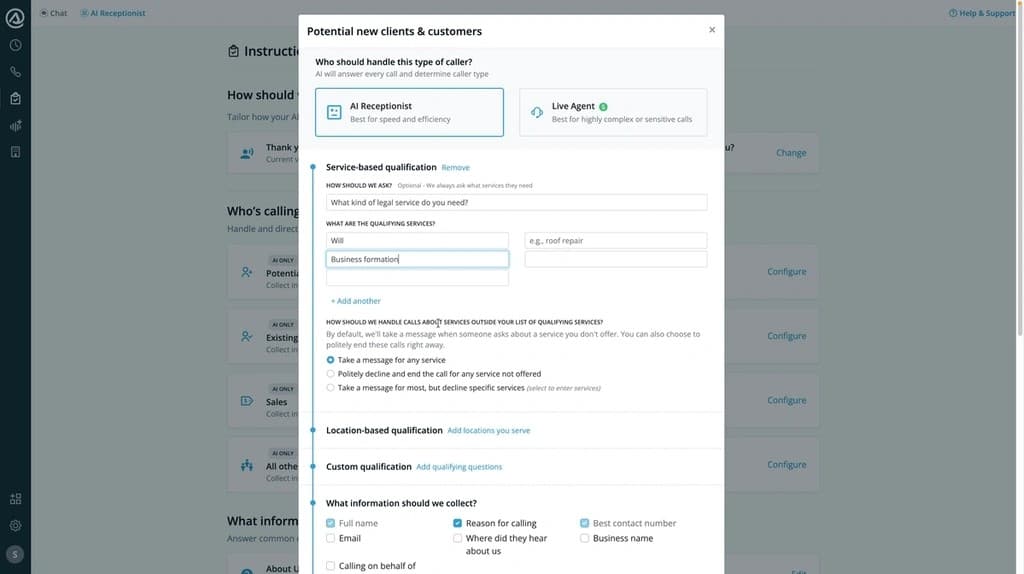
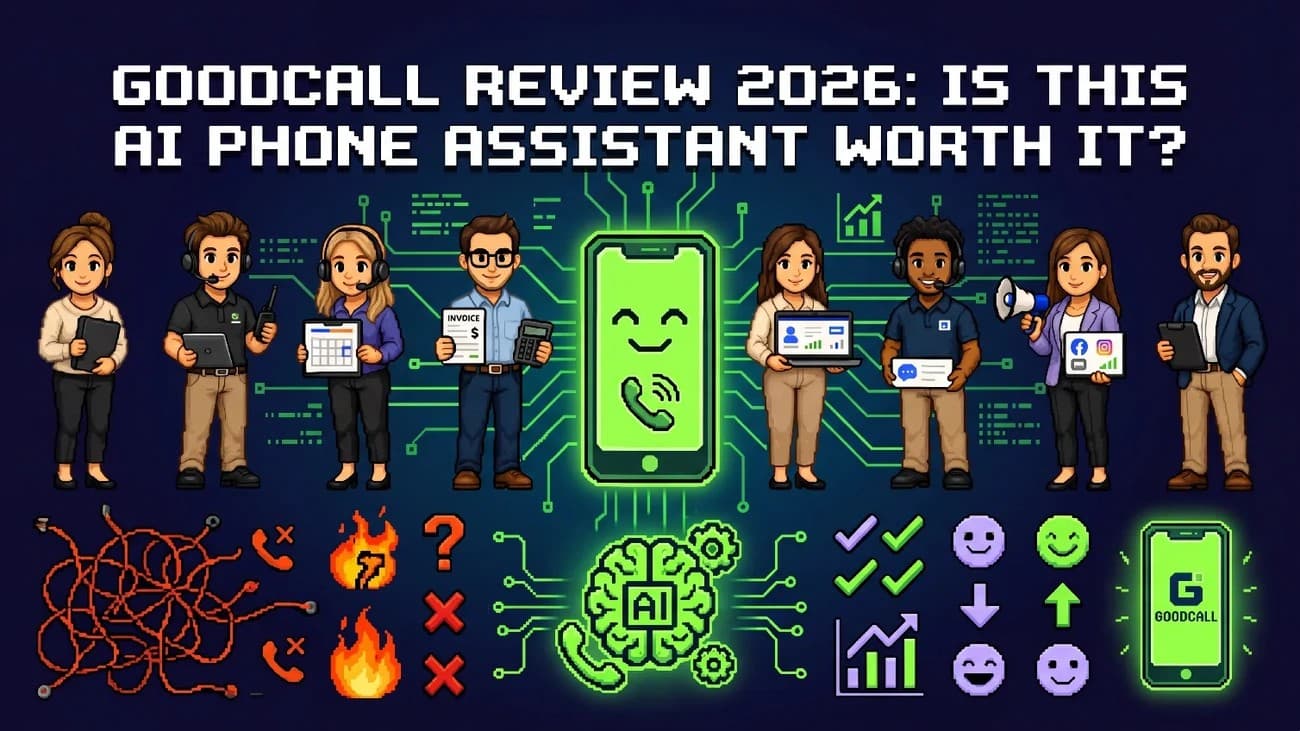
Goodcall stands out on this list because I can customize much of the call workflow myself with plain language instead of relying on a developer. Gabi, the platform's AI builder, creates and runs the receptionist based on my instructions.

Goodcall key features and call handling

Gabi can build an agent from a business description or website. It writes the greeting, questions, and call steps itself. The agent sorts callers as new, returning, urgent, or spam. It identifies their needs and budget, captures the details, and texts me the lead before the call ends.

The agent checks my calendar for bookings, suggests suitable times, and confirms appointments by text. Connected store systems allow it to check inventory and track orders. It sends special requests through email and text. Every call updates the CRM, and the system recognizes returning callers by their phone number.

Goodcall setup and integrations

I can describe my business or provide Gabi with my website. Gabi then runs practice calls for difficult scenarios before I approve and publish the agent. GC4 includes native connections with Google Calendar, Google Sheets, and HighLevel. Other systems can connect through an API tool or MCP server. I can forward my current number or select a new local number.

Goodcall pros and cons

  • No-code builder with instant rollback to the previous version
  • SOC 2 and HIPAA compliant, with Google Cloud infrastructure
  • Billing based on customers helped rather than call length
  • Agencies report call volumes dropping by up to 45% and resolution times decreasing by 75%[14]

Goodcall pricing and usage limits

Plans start at INR 6666.06 per agent each month, with no per-minute charges[6].

08

Frontdesk (My AI Front Desk): Best for Bundled Front-Office Tools

Frontdesk (My AI Front Desk): Best for Bundled Front-Office Tools overview
Image source: Autocalls.ai

Frontdesk, also known as My AI Front Desk, combines a phone receptionist, chatbot, SMS agent, CRM, and calendar in one front-office platform. It suits owners who want to manage every channel from one dashboard instead of switching between separate tools.

Frontdesk key features and call handling

One AI manages voice calls, SMS, WhatsApp, email, and chat while maintaining a shared customer profile, so callers do not need to repeat themselves[15]. The AI can scan a website, including 214 pages in one documented case, and create its own knowledge base, playbooks, and guardrails without manual setup[15]. Unlimited concurrent calls keep calls out of voicemail during busy periods, and the agent can send renewal follow-ups, reminders, and re-engagement messages before anyone asks[15][15].

Frontdesk setup and integrations

I can forward my existing number and explain what the receptionist should say, and Frontdesk builds the agent in under five minutes[15]. The platform includes a built-in CRM, while Zapier and direct API connections add more options. Enterprise plans support custom integrations[15]. The system routes complex cases to a human supervisor and includes the full transcript[15].

Frontdesk pros and cons

  • Combines voice, chat, SMS, and CRM in one platform, reducing the need for separate software
  • Learns from conversations and improves its responses, with team members able to see changes[15]
  • Capterra and Trustpilot reviews mention inconsistent CRM integrations and billing disputes after the free trial ends[16][17]

Frontdesk pricing and usage limits

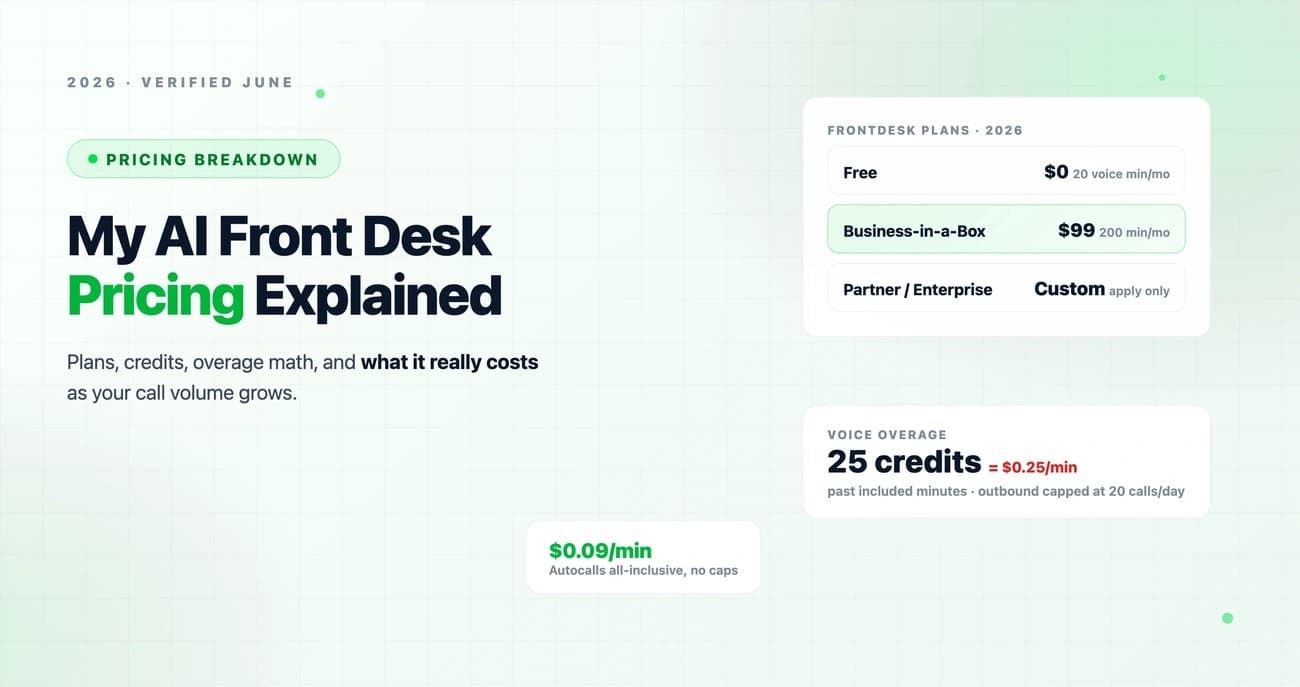
Business-in-a-Box costs INR 8353.66 per month or INR 6666.06 per month with annual billing. The plan includes 200 voice minutes, 400 SMS messages, 100 chatbot conversations, and 300 form submissions[18]. Overage usage comes from a 1,000-credit pool, with each voice minute costing 25 credits and each SMS costing 4 credits[18]. A free plan provides limited usage without requiring a card[18].

09

Quo (Sona): Best for Teams Sharing Business Phone Numbers

Visit source
Quo (Sona): Best for Teams Sharing Business Phone Numbers overview
Image source: Quo Support

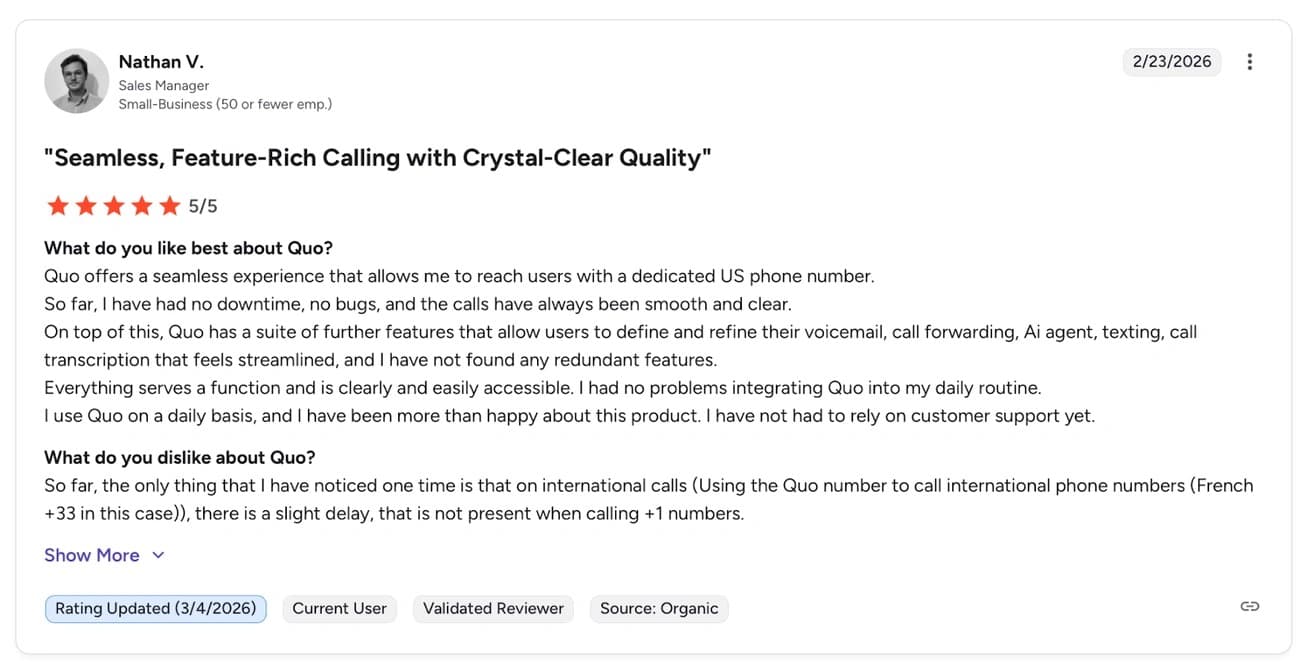
Quo, the business phone platform formerly known as OpenPhone, builds its AI receptionist, Sona, into a shared workspace. Every teammate can see the call history, transcripts, and summaries linked to the same number.

Quo (Sona) key features and call handling

Sona handles inbound calls only and never makes outbound calls[19]. It uses jobs and up to 10 scripted playbooks per step, each with a 10,000-character limit. These playbooks act as guidance rather than strict scripts[19]. Knowledge pages support up to 20,000 characters or 10MB file uploads, but Sona cannot open pasted links directly[19]. It has four voices and three tones in English, Spanish, and French, which is currently in beta. Sona remembers the past 21 days and up to 30 activities for each caller[19]. Booking involves sending a scheduling link by text rather than rescheduling appointments live[19].

Quo (Sona) setup and integrations

Sona fits into the call-flow builder after a ring, menu, or business-hours check. Each flow can have multiple steps[20]. It requires a paid Starter, Business, or Scale plan, Stripe billing, and admin permissions[20]. Sona integrates with Jobber for service requests and connects with Claude, ChatGPT, and Grok through an MCP server[19].

Quo (Sona) pros and cons

  • The shared workspace lets the whole team view every call
  • The inbound-only design does not support outbound follow-ups[19]
  • Credits run out quickly, and calls go to voicemail after credits are exhausted[19]

Quo (Sona) pricing and usage limits

Every plan has 1,000 monthly credits, which covers about 10 calls. Paid tiers cost up to INR 16,791.71 for 600 calls[19].

10

Smith.ai: Best for AI Answering With Human Backup

Visit source
Smith.ai: Best for AI Answering With Human Backup overview
Image source: Smith.ai

Smith.ai differs from the all-AI approach above by combining automated answering with live North America-based receptionists. These receptionists step in when calls become complex, so callers do not reach a dead end.

Smith.ai key features and call handling

The AI Receptionist answers first, qualifies prospects, books appointments, and routes nuanced calls to a human agent in the Live Agent Network. The system draws on more than 20 million answered calls from the last 10 years[7]. It filters more than 20 million known spam numbers automatically before billing[7]. Businesses that want no AI involvement can choose Virtual Receptionist plans, which send every call directly to a trained live agent, 24/7[21].

Smith.ai setup and integrations

Onboarding includes a dedicated local or toll-free number. Zapier can automate tasks such as adding callers to Google Contacts or Sheets[22]. Native integrations include ServiceTitan for home service businesses, plus Lawmatics and Acuity for legal and scheduling workflows. Slack lets teams accept or reject call transfers[23].

Smith.ai pros and cons

  • Human escalation handles issues that AI cannot resolve, with a 30-day money-back guarantee[21]
  • Per-call billing prevents unexpected per-minute charges
  • Live backup makes it more expensive than AI-only competitors[7]
  • Language support is limited to English and Spanish[24]

Smith.ai pricing and usage limits

AI Receptionist is free for up to 25 calls per month. Pro costs INR 12657.07/month, while Enterprise costs INR 42190.23/month[7]. Virtual Receptionist Starter costs INR 25314.14/month for 30 calls and scales to INR 177198.95 for 300 calls on Pro[21].

11

RingCentral AI Receptionist: Best for Existing RingCentral Users

Visit source

Existing RingCentral customers have a simple upgrade path with AI Receptionist (AIR), a voice agent built into the RingEX phone system instead of added as a separate app.

RingCentral AI Receptionist key features and call handling

AIR answers calls 24/7 through natural conversations rather than phone trees. It routes calls by name, department, location, or keyword and provides a call summary, so staff do not need to ask callers to repeat information. AIR answers FAQs using a website and uploaded documents, books appointments through Google and Outlook calendars, captures contact details through customizable intake questions, and sends SMS follow-ups. It supports English, Spanish, French, Italian, German, and Portuguese, and can switch languages during a call when needed[25].

RingCentral AI Receptionist setup and integrations

Setup creates a receptionist from a business website within minutes and does not require IT support. An "AIR Everywhere" standalone version works with any existing phone system through call forwarding or SIP, while RingCentral customers can sync numbers and routing rules directly. CRM integrations include Salesforce, HubSpot, and Zoho[3].

RingCentral AI Receptionist pros and cons

  • Works within an existing RingCentral account without extra software
  • Limits the company description in its knowledge base to 500 characters, which can reduce detail[26]
  • Does not provide behavioral scripting beyond fact retrieval[26]

RingCentral AI Receptionist pricing and usage limits

AIR starts at INR 4134.64/month as a standalone product or INR 3290.84/month as a RingEX add-on. Both plans include 100 minutes, with overage charges of INR 42.19/minute and a 14-day trial[25].

12

Nextiva: Best for Growing Omnichannel Teams

Visit source
Nextiva: Best for Growing Omnichannel Teams overview
Image source: Nextiva

Nextiva expands on the omnichannel approach described above by combining voice, video, and messaging in one subscription. Its XBert AI receptionist is included with the service.

Nextiva key features and call handling

XBert handles calls, texts, and web chats around the clock. It uses information from a business's website to answer questions, capture leads, schedule appointments, and transfer conversations to staff with the full context included[4]. G2 reviewers say XBert reduces missed calls by more than 60%[27]. Nextiva also offers a 99.999% network uptime guarantee[27].

Nextiva setup and integrations

Nextiva states that businesses can set up XBert in under five minutes after providing a website or Google Business Profile[4]. Free calendar sync supports Google Calendar, Calendly, and Cal.com. Salesforce, HubSpot, Pipedrive, and GoHighLevel integrations take two to four days to complete[28]. One review notes that CRM sync requires the higher-tier Engage plan, so Core subscribers do not receive that connection[29].

Nextiva pros and cons

  • Combines voice, SMS, and web chat with CRM and calendar sync in one subscription
  • Offers SOC 2, ISO 27001, PCI DSS, GDPR, and HIPAA-compliant plans[4]
  • Provides roughly 30 native app integrations, fewer than some competitors[29]
  • Caps texting allowances by plan, which a busy receptionist may use quickly[30]

Nextiva pricing and usage limits

XBert costs INR 8353.66 per month to cover 100 resolved conversations. Each additional conversation costs INR 126.57. A resolved conversation includes a 30-second call or three AI text responses[28]. The Core phone plan starts at INR 1265.71 per user per month[27]. Nextiva includes a 30-day money-back guarantee and does not require a long-term contract[4].

13

CloudTalk: Best for Small Businesses Expanding Internationally

Visit source
CloudTalk: Best for Small Businesses Expanding Internationally overview
Image source: CloudTalk

CloudTalk takes a different approach from most tools on this list. It built its phone system first, including numbers, routing, call quality, and coverage in 160+ countries, then added AI to the call flow[1]. That foundation helps small businesses manage callers across time zones and languages.

CloudTalk key features and call handling

The AI Receptionist handles inbound front-desk calls, while the AI Specialist manages full workflows for support and sales, plus billing[31]. Both detect and respond to 70+ languages and accents automatically[31]. They route calls by intent without phone trees and transfer callers to a human with the full context intact[1]. The agent integrates natively with HubSpot, Salesforce, Pipedrive, Zoho CRM, Zendesk, and Intercom[32]. Webhooks and Zapier support other connections. CloudTalk complies with SOC 2 Type 2, ISO/IEC 27001:2022, and GDPR requirements[1].

CloudTalk setup and integrations

Self-guided setup takes less than five minutes with ready-made templates. The process has four steps: Profile, Skills, Knowledge, and Scenarios and Guardrails. A built-in test call is available before launch[33]. More complex workflows with multiple steps can take one to two weeks to configure[1].

CloudTalk pros and cons

  • No-code setup lets teams launch simple workflows in minutes[1]
  • Voice-first design means email, chat, and video require separate tools[1]
  • Built for teams and less suitable for solo users who manage everything themselves[1]

CloudTalk pricing and usage limits

AI Receptionist is free for the first 50 minutes, then costs INR 8353.66/month for 200 minutes[31]. AI Specialist costs INR 29448.78/month for 1,000 minutes[31]. Custom volume pricing can drop to €0.15/minute for more than 10,000 monthly minutes[31]. A 14-day free trial includes 50 free AI minutes[31].

14

Synthflow: Best for Building Custom Agents Without Code

Visit source
Synthflow: Best for Building Custom Agents Without Code overview
Image source: AI Tools

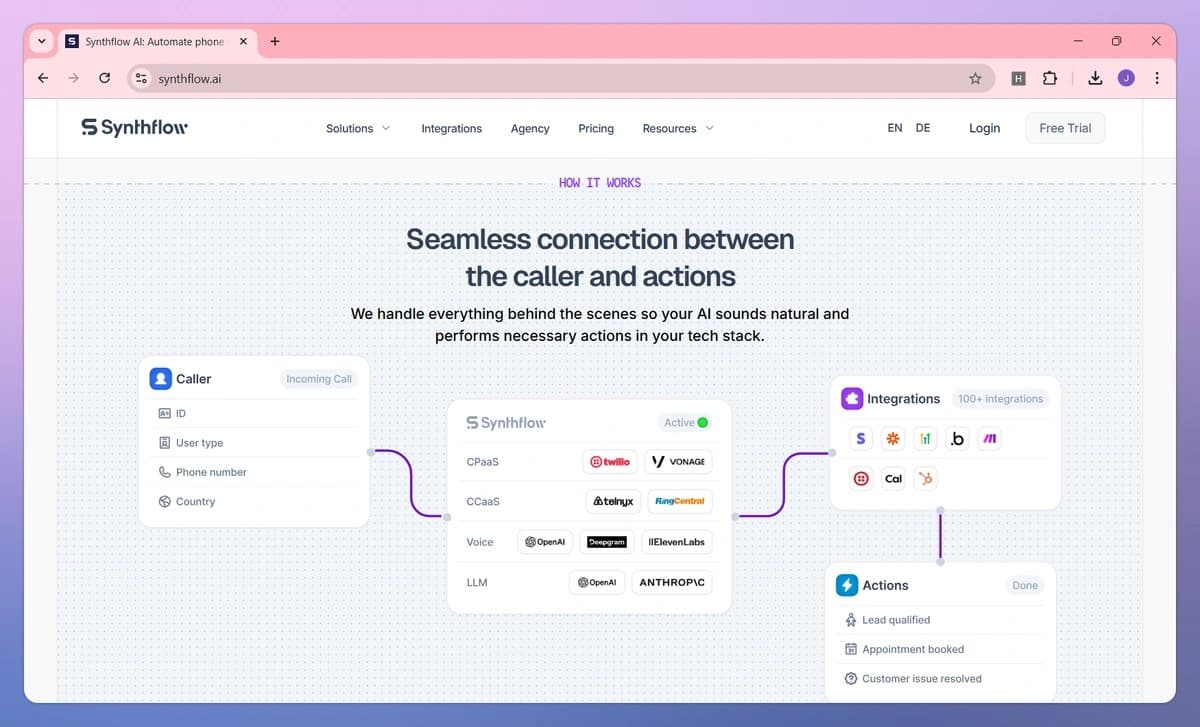
Synthflow takes the agency route on this list. It lets me build and resell white-label AI voice agents without writing code.

Synthflow key features and call handling

Each client subaccount has its own limits, including included minutes, concurrent call caps, agent counts, and permitted agent types such as inbound, outbound, widget, or chat[34]. GPT-4o powers conversations by default, while ElevenLabs handles text-to-speech. Synthflow records and transcribes every call automatically[35]. Synthflow is also moving toward outcome-based pricing, charging for completed work such as booked appointments instead of raw minutes[36].

Synthflow setup and integrations

Agency Owners and Admins must connect Stripe before they can create pricing plans for subaccounts[8]. I set the plan price, currency, included minutes, and trial terms. Trials allow up to 200 minutes before billing starts automatically[8]. A no-code editor and open API support agent creation[35].

Synthflow pros and cons

  • No-code editor with full API access for custom builds
  • Built-in SOC 2, HIPAA, and GDPR compliance[35]
  • In-product Stripe reselling ended on September 15, 2026, so existing subaccounts require manual migration[8]
  • Enterprise quotes require case-by-case scoping for call volume, telephony, and security needs[36]

Synthflow pricing and usage limits

Flat per-minute pricing starts at INR 6.75 per minute and drops to INR 5.91 per minute at enterprise volume. Synthflow charges no license fees or fees for failed calls[35]. Enterprise contracts start at INR 2531413.52 per year and are scoped around telephony setup and concurrency[36].

Comparison Table

Comparison Table: 15 Best AI Answering Services for Small Businesses in 2026

15

Retell AI: Best for Developer-Led Voice Agent Deployments

The supplied guide names Retell AI as its developer-led option but does not include a full provider profile, pricing breakdown, or comparison-table row.

Side-by-side

Compare every option

Pricing and product details are reproduced from the supplied October 2026 source document and may change. Confirm current terms with each provider before buying.

01Zeeg+
Best For
Appointment-Driven Small Businesses
Key Features
Books appointments during calls, handles inbound and outbound calls, routes calls with plain-language rules
Languages Supported
23 languages
Setup Time
Minutes, with live service available quickly
Starting Price
€49/month (250 inbound minutes)
Free Trial
5 free minutes included
Key Integrations
Google Calendar, Outlook, HubSpot, Salesforce, Pipedrive, Zoom, Teams
02Jotform AI+
Best For
Businesses Already Using Jotform
Key Features
Supports phone, SMS, WhatsApp and Messenger, connects to Jotform forms, offers 19 languages with mid-conversation switching
Languages Supported
19 languages
Setup Time
Templates or built from scratch
Starting Price
Free plan available; Bronze at INR 2868.94
Free Trial
Yes (free plan)
Key Integrations
54+ integrations, including Airtable, Canva, ChatGPT, Claude, Dropbox
03Allo+
Best For
Mobile-First Small Teams
Key Features
Full phone system with an AI receptionist, spam blocker, automatic recording and transcription, 4x fewer dropped calls
Languages Supported
3 (English, French, Spanish)
Setup Time
Same day for most teams
Starting Price
INR 10125.65/user/year (Solo)
Free Trial
3-day trial (card required)
Key Integrations
HubSpot, Salesforce, Pipedrive, Attio, GoHighLevel, Claude, Cursor
04Dialzara+
Best For
Quick, Simple Call Answering
Key Features
24/7 answering, unlimited simultaneous calls, 50+ voices, 88+ ready-made industry prompts
Languages Supported
10+ languages
Setup Time
Under 30 minutes
Starting Price
INR 2447.03/month (60 minutes)
Free Trial
7-day free trial
Key Integrations
Google Calendar, Outlook, Zapier, Make, webhooks
05UpFirst+
Best For
Budget-Conscious Microbusinesses
Key Features
35+ languages with auto-detection, warm transfers, robocall blocking, custom API actions
Languages Supported
35+ languages
Setup Time
30 minutes
Starting Price
INR 2105.29/month (30 calls)
Free Trial
14 days (no card required)
Key Integrations
Google Calendar, Outlook, Clio, Acuity, Calendly, Square Scheduling, Zapier
06Rosie+
Best For
Home Services
Key Features
Trains automatically from a Google Business Profile, handles multiple calls at once, includes Spanish on all plans
Languages Supported
English and Spanish
Setup Time
Under 15 minutes
Starting Price
INR 4134.64/month (250 minutes)
Free Trial
7-day trial
Key Integrations
Google Calendar, Calendly, Acuity, Appointlet, 18 native CRM integrations, Zapier
07Goodcall+
Best For
Customizable Call Workflows
Key Features
Gabi, its AI builder, creates an agent from a description; no-code customization; SOC 2 and HIPAA compliance
Languages Supported
Not mentioned
Setup Time
Practice calls available before launch
Starting Price
INR 6666.06/month per agent
Free Trial
Not mentioned
Key Integrations
Google Calendar, Google Sheets, HighLevel, API, MCP server
08Frontdesk (My AI Front Desk)+
Best For
Bundled Front-Office Tools
Key Features
Supports voice, SMS, WhatsApp, email and chat; includes a built-in CRM, unlimited concurrent calls, and website-based learning
Languages Supported
Not mentioned
Setup Time
Under 5 minutes
Starting Price
Free plan available; INR 8353.66/month (Business-in-a-Box)
Free Trial
Yes (free plan)
Key Integrations
Built-in CRM, Zapier, direct API, custom integrations on Enterprise
09Quo (Sona)+
Best For
Teams Sharing Business Phone Numbers
Key Features
Shared workspace, scripted playbooks with 10 steps each, inbound calls only, four voices and three tones
Languages Supported
3 (English, Spanish, French in beta)
Setup Time
Added through the call flow builder
Starting Price
1,000 credits included (~10 calls); up to INR 16,791.71 for 600 calls
Free Trial
Not mentioned
Key Integrations
Jobber, Claude, ChatGPT, Grok (via MCP server)
10Smith.ai+
Best For
AI Answering With Human Backup
Key Features
Combines AI with live North America-based agents, filters 20M+ spam numbers, includes a 30-day money-back guarantee
Languages Supported
English and Spanish
Setup Time
Dedicated number assigned
Starting Price
Free (25 calls/month); Pro at INR 12657.07/month
Free Trial
Yes (25 calls free)
Key Integrations
ServiceTitan, Lawmatics, Acuity, Slack, Zapier, Google Contacts/Sheets
11RingCentral AI Receptionist+
Best For
Existing RingCentral Users
Key Features
Built into the RingEX phone system, offers natural conversation routing and SMS follow-ups, plus AIR Everywhere for any phone system
Languages Supported
6 (English, Spanish, French, Italian, German, Portuguese)
Setup Time
Minutes, with website-based setup
Starting Price
INR 4134.64/month standalone (100 minutes)
Free Trial
14-day trial
Key Integrations
Salesforce, HubSpot, Zoho, Google Calendar, Outlook
12Nextiva+
Best For
Growing Omnichannel Teams
Key Features
Voice, video and messaging in one subscription, 99.999% uptime, reduces missed calls by 60%+
Languages Supported
Not mentioned
Setup Time
Under 5 minutes
Starting Price
INR 8353.66/month (100 resolved conversations)
Free Trial
30-day money-back guarantee
Key Integrations
Google Calendar, Calendly, Cal.com, Salesforce, HubSpot, Pipedrive, GoHighLevel
13CloudTalk+
Best For
Small Businesses Expanding Internationally
Key Features
Coverage in 160+ countries, 70+ languages and accents, with AI Receptionist and AI Specialist options
Languages Supported
70+ languages and accents
Setup Time
Under 5 minutes with simplified processes
Starting Price
Free (50 minutes); INR 8353.66/month (200 minutes)
Free Trial
14-day trial (50 free AI minutes)
Key Integrations
HubSpot, Salesforce, Pipedrive, Zoho CRM, Zendesk, Intercom, Zapier
14Synthflow+
Best For
Building Custom Agents Without Code
Key Features
White-label agency platform, powered by GPT-4o, outcome-based pricing available, no-code editor with API access
Languages Supported
Not mentioned
Setup Time
No-code editor available
Starting Price
INR 6.75/minute (flat rate)
Free Trial
200 trial minutes cap
Key Integrations
Stripe (for reselling), open API for custom builds
15Retell AI+
Best For
Developer-Led Voice Agent Deployments
Key Features
Named in the supplied guide; detailed feature profile not provided
Languages Supported
Not specified
Setup Time
Not specified
Starting Price
Not specified
Free Trial
Not specified
Key Integrations
Not specified

Conclusion

Choose for the workflow you actually run

15 Best AI Answering Services for Small Businesses in 2026 overview
Image source: Cekura

The right AI answering service depends on what my business needs. Zeeg suits appointment-heavy practices, while Dialzara works for owners who want a quick setup. Smith.ai is a strong choice when human backup matters. Rosie also serves home service companies that need quick training and built-in Spanish support, while CloudTalk and Synthflow suit international teams and agencies.

Every missed call now has a real cost, and waiting rarely pays off. I'd recommend trying two or three free trials from this list because hands-on experience shows much more than feature charts can.

Choosing one tool from this list depends on how my business operates, not on which brand has the loudest marketing. A solo contractor who takes calls between job sites needs something different than a multi-location clinic that routes patients between departments. Price matters, but it rarely stands alone. A cheap plan that drops calls or mishandles bookings can cost more in lost revenue than a pricier option that works correctly from the start.

Language coverage, calendar sync, and CRM integrations separate serious options from gimmicks after the free trial ends and real call volume begins. Compliance also needs closer attention in regulated fields such as law and healthcare, where SOC 2, HIPAA, or GDPR status is not optional.

I would test each agent against the questions my customers actually ask instead of relying on feature lists alone. I would also watch how it handles an angry caller or a vague request. The real differences appear there.

Comparing fifteen tools can feel like too much to handle alone, and booking a discovery call with Warmdesk offers a faster way to match a system with actual call volume and workflow needs.

View 51 source links
  1. [1] https://www.cloudtalk.io/ai-voice-agents/
  2. [2] https://upfirst.ai/features/knowledge
  3. [3] https://www.ringcentral.com/ai-receptionist.html
  4. [4] https://www.nextiva.com/blog/ai-receptionist.html
  5. [5] https://www.cloudtalk.io/blog/rosie-ai-review/
  6. [6] https://www.goodcall.com/
  7. [7] https://smith.ai/pricing/ai-receptionist
  8. [8] https://docs.synthflow.ai/set-up-pricing-and-rebilling
  9. [9] https://www.cloudtalk.io/blog/dialzara-alternative/
  10. [10] https://upfirst.ai/
  11. [11] https://www.thareja.ai/alternatives/rosie-review-2026-features-pricing-pros-cons
  12. [12] https://play.google.com/store/apps/details?id=com.rosie.mobile&hl=en
  13. [13] https://quorumvoice.com/compare/rosie
  14. [14] https://www.goodcall.com/post/overview-on-goodcall-for-your-agency-clients
  15. [15] https://www.myaifrontdesk.com/
  16. [16] https://www.capterra.com/p/10014488/My-AI-Front-Desk/
  17. [17] https://www.trustpilot.com/review/www.myaifrontdesk.com
  18. [18] https://www.myaifrontdesk.com/tutorials/how-does-billing-pricing-work-for-my-ai-front-desk
  19. [19] https://www.usecarly.com/blog/quo-ai/
  20. [20] https://support.quo.com/core-concepts/ai-automations/sona-ai-agent
  21. [21] https://smith.ai/pricing/receptionists
  22. [22] https://docs.smith.ai/article/n3ao4dickg-linking-smith-ai-and-zapier-smith-ai-zapier-zap
  23. [23] https://smith.ai/integrates-with/slack
  24. [24] https://www.happyrobot.ai/hub/smith-ai-review-and-pricing
  25. [25] https://www.ringcentral.com/us/en/blog/introducing-ringcentral-ai-receptionist-business-ready-voice-ai-is-here/
  26. [26] https://www.getnextphone.com/blog/ringcentral-ai-integration
  27. [27] https://www.nextiva.com/blog/what-is-an-automated-receptionist.html
  28. [28] https://www.nextiva.com/products/ai-receptionist
  29. [29] https://www.callrail.com/blog/nextiva-review
  30. [30] https://www.usecarly.com/blog/nextiva-ai-receptionist/
  31. [31] https://www.cloudtalk.io/ai-voice-agent-pricing/
  32. [32] https://www.cloudtalk.io/blog/ai-voice-agent-crm-phone-integration/
  33. [33] https://www.cloudtalk.io/blog/how-to-evaluate-ai-voice-agent/
  34. [34] https://docs.synthflow.ai/limits-and-capabilities
  35. [35] https://synthflow.ai/blog/voice-ai-cost
  36. [36] https://synthflow.ai/blog/conversational-ai-pricing
  37. [37] https://zeeg.me/en/blog/post/best-ai-answering-services
  38. [38] https://supportyourapp.com/blog/best-ai-answering-services-for-business/
  39. [39] https://zeeg.me/en/blog/post/vapi-ai
  40. [40] https://www.getapp.com/operations-management-software/a/zeeg/
  41. [41] https://zeeg.me/en/ai-voice-agent
  42. [42] https://zeeg.me/en/features/ai-receptionist
  43. [43] https://zeeg.me/en/pricing
  44. [44] https://www.jotform.com/ai/agents/announcing-jotform-ai-agents/
  45. [45] https://www.jotform.com/ai/agents/
  46. [46] https://www.g2.com/products/jotform-ai-agents/reviews
  47. [47] https://www.withallo.com/
  48. [48] https://www.withallo.com/blog/best-ai-answering-services-guide
  49. [49] https://www.trustpilot.com/review/dialzara.com
  50. [50] https://dialzara.com/solutions/ai-receptionist
  51. [51] https://dialzara.com/features

FAQ

Questions before you choose

Use these checks to narrow the field before you test finalists with real calls.

Match the service to your call volume, booking needs, languages, and existing software. Test two or three options with real customer questions and difficult calls before committing.

Keep reading

Related guides

Get started

Compare the shortlist with your real call flow.

See how WarmDesk handles intake, scheduling, and follow-up using the rules your team already trusts.